
- Home
- Free guides
- Career
Excel Formulas List with Examples: 30 Formulas Every Beginner Must Know (+ Cheat Sheet)
You do not need hundreds of Excel formulas for office work. About 30 – SUM, IF, COUNTIFS, SUMIFS, VLOOKUP or XLOOKUP, TRIM and a few date formulas – cover most daily tasks. Here they are with examples.
- Every formula starts with =.
- Learn IF, COUNTIFS, SUMIFS and one lookup (VLOOKUP or XLOOKUP) first.
- Use $ (press F4) to lock a cell when you copy a formula down.
Most people learn Excel by searching for one formula at a time. A short Excel formulas list of the ones offices actually use is faster: learn these 30, type each example once, and you can handle most reports, salary sheets and trackers.
30 Excel formulas with examples
| Formula | Example | What it does |
|---|---|---|
| SUM | =SUM(A2:A10) | Add a range |
| AVERAGE | =AVERAGE(A2:A10) | Average |
| MAX / MIN | =MAX(A2:A10) | Biggest / smallest |
| COUNT | =COUNT(A2:A10) | Count numbers |
| COUNTA | =COUNTA(A2:A10) | Count non-empty cells |
| ROUND | =ROUND(A2,0) | Round off |
| IF | =IF(A2>=40,"Pass","Fail") | Make a decision |
| AND / OR | =AND(A2>0,B2>0) | Combine tests |
| IFERROR | =IFERROR(A2/B2,0) | Hide errors |
| COUNTIFS | =COUNTIFS(B:B,"Pune",C:C,">0") | Count with conditions |
| SUMIFS | =SUMIFS(D:D,B:B,"Pune") | Add with conditions |
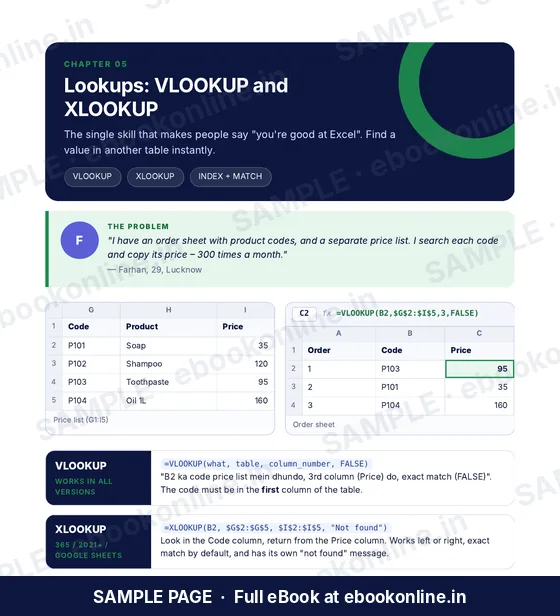
| VLOOKUP | =VLOOKUP(A2,G:I,3,FALSE) | Look up a value |
| XLOOKUP | =XLOOKUP(A2,G:G,I:I,"NA") | Modern lookup (Excel 365/2021) |
| INDEX + MATCH | =INDEX(I:I,MATCH(A2,G:G,0)) | Lookup in any direction |
| TRIM | =TRIM(A2) | Remove extra spaces |
| PROPER | =PROPER(A2) | Fix capital letters |
| LEFT / RIGHT / MID | =LEFT(A2,3) | Part of text |
| LEN | =LEN(A2) | Count characters |
| & (join) | =A2&" "&B2 | Join text |
| SUBSTITUTE | =SUBSTITUTE(A2,"-","") | Replace text |
| TEXT | =TEXT(A2,"dd-mm-yyyy") | Format a date as text |
| TODAY | =TODAY() | Today's date |
| DATEDIF | =DATEDIF(A2,TODAY(),"y") | Years between dates |
| NETWORKDAYS | =NETWORKDAYS(A2,B2) | Working days |
| EOMONTH | =EOMONTH(A2,0) | Month-end date |
| RANK.EQ | =RANK.EQ(B2,$B$2:$B$20) | Rank in a list |
| UNIQUE | =UNIQUE(B2:B100) | Remove duplicates (365) |
| FILTER | =FILTER(A2:D20,B2:B20="Pune") | Rows that match (365) |
| PMT | =PMT(9%/12,60,-500000) | Monthly EMI |
| SUBTOTAL | =SUBTOTAL(9,D2:D100) | Sum visible rows after filter |
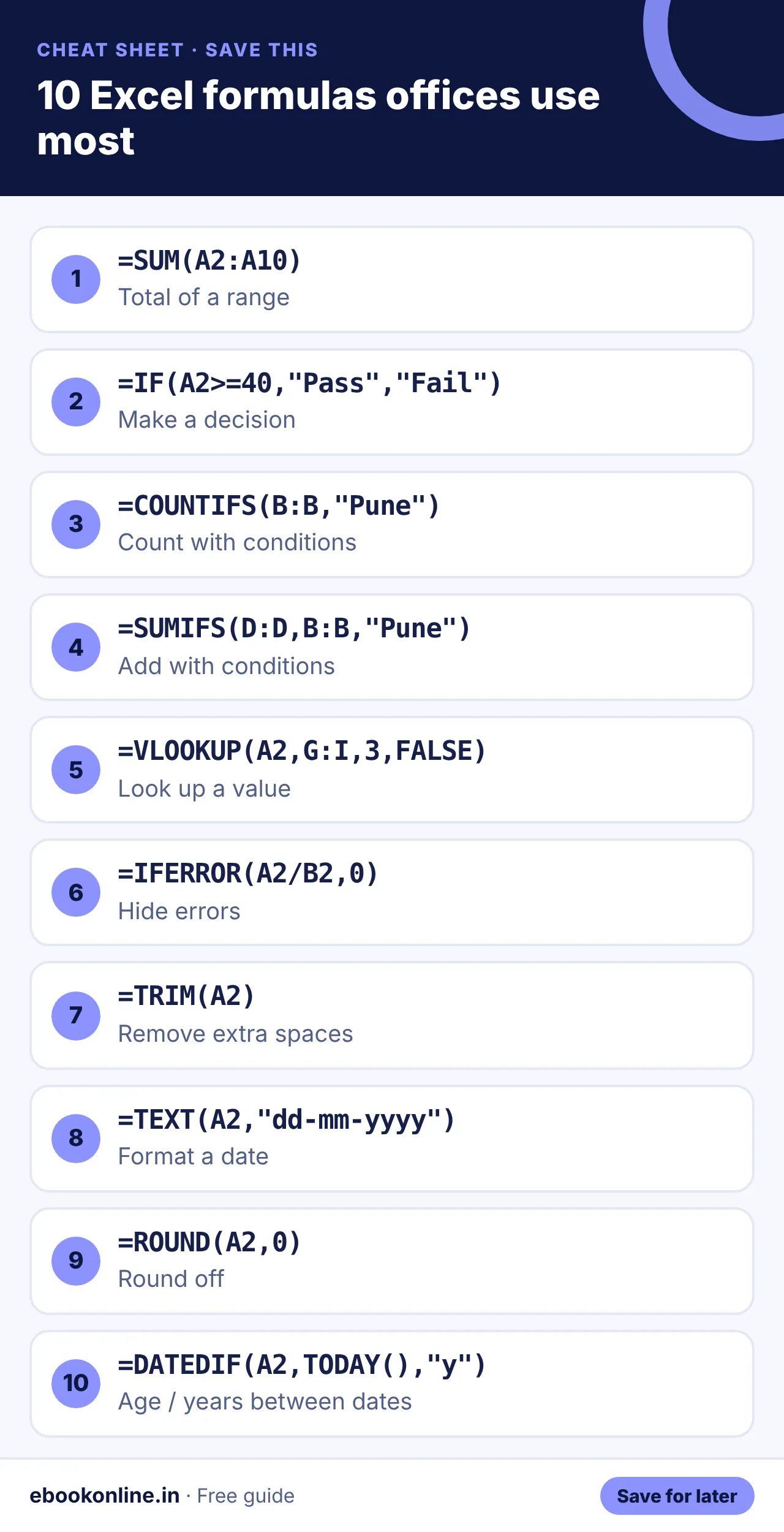
Learn these five first
- SUM – totals for any column.
- IF – pass/fail, bonus yes/no, target met or not.
- COUNTIFS / SUMIFS – "how many" and "how much" for a city, person or month.
- VLOOKUP or XLOOKUP – bring a price, name or salary from another table.
- TRIM + PROPER – clean messy names in seconds.
Always use FALSE as the last argument for an exact match, and make sure the value you search for is in the first column of the lookup table. Lock the table with $ before copying the formula down.
Open a blank sheet, type 10 rows of names, cities and amounts, and try SUM, IF and SUMIFS on it right now.
How to practise
Open a blank sheet and type a small table of 10 rows – names, cities and amounts. Try each formula on it. Typing along is far more effective than reading. Note that a few formulas like XLOOKUP, UNIQUE and FILTER need Excel 365 or 2021; older versions can use VLOOKUP and INDEX + MATCH instead.
Example: a small sales report
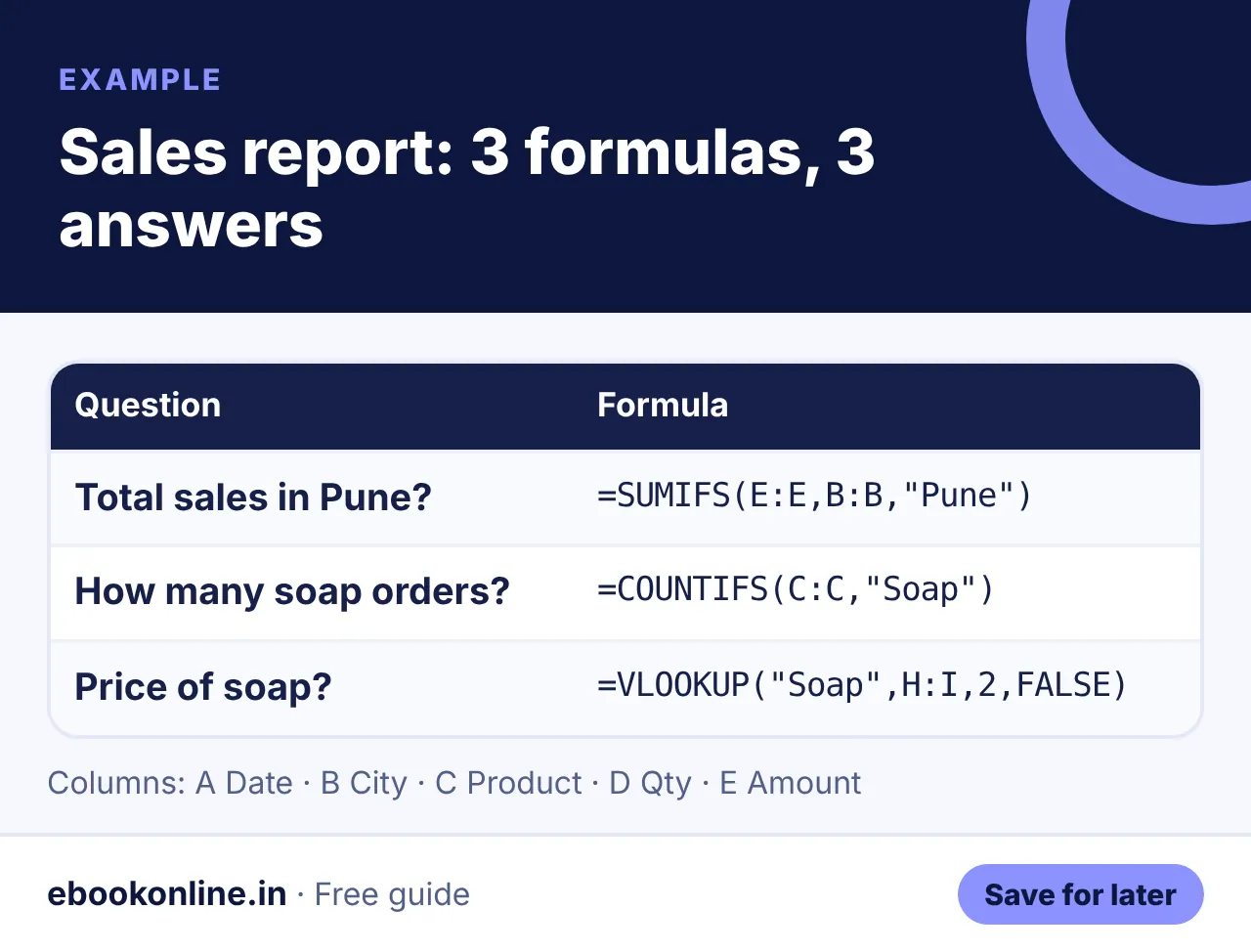
Imagine columns: Date, City, Product, Qty, Amount. With just three formulas you can answer most questions your manager asks:
Show as text
=SUMIFS(E:E,B:B,"Pune")– total sales in Pune=COUNTIFS(C:C,"Soap")– how many soap orders=VLOOKUP("Soap",H:I,2,FALSE)– the price of soap from a rate table
Shortcuts that save time
| Shortcut | What it does |
|---|---|
| Ctrl + T | Turn data into a table |
| Ctrl + E | Flash Fill – copy a pattern |
| F4 | Lock a cell with $ |
| Ctrl + Shift + L | Turn filters on or off |
| Alt + = | AutoSum |
Next, learn the percentage formula in Excel. Applying for office jobs? See our resume format for freshers, and if you want to earn with Excel skills, read freelancing for beginners. More: Career & Money eBooks.
A look inside the eBook: Excel for Beginners
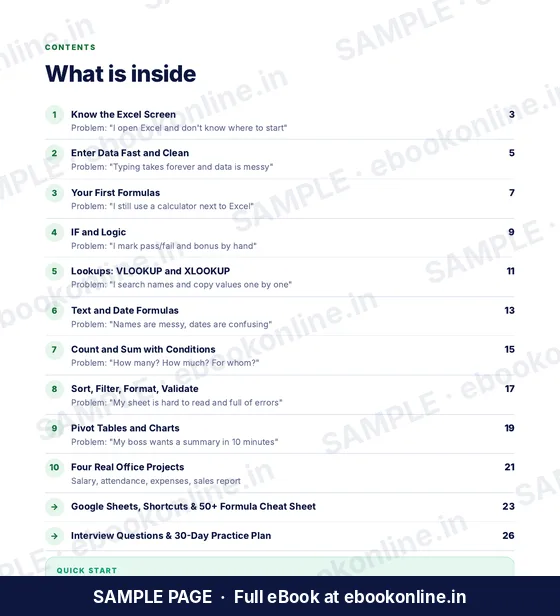
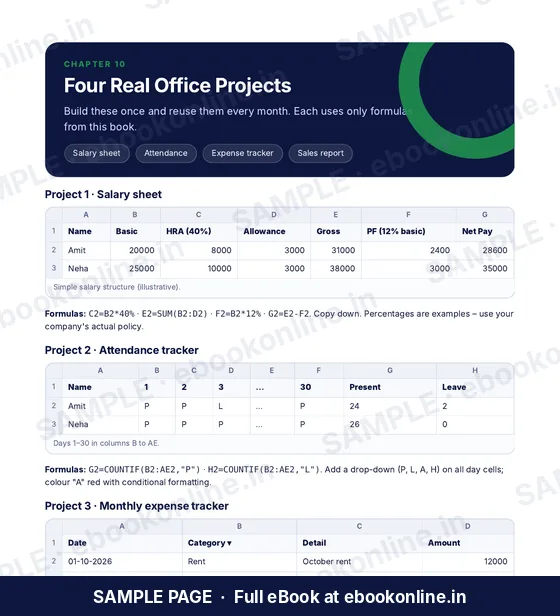
This article covers the basics. The full eBook goes step by step – these are real sample pages from the 28-page PDF. Tap any page to see it bigger.

What you get for ₹99
- 50+ formula cheat sheet
- VLOOKUP & pivot tables
- 4 real office projects
- Know the Excel Screen – Cells, formula bar, workbooks and sheets.
- Enter Data Fast – Flash Fill, Tables and clean data.
- 28-page PDF · read on phone or print at home · instant download after payment
Coming soon.
Frequently asked questions
What are the basic Excel formulas?
SUM, AVERAGE, MAX, MIN, COUNT, IF and ROUND are the basic formulas. After these, learn COUNTIFS, SUMIFS and VLOOKUP or XLOOKUP.
Is XLOOKUP better than VLOOKUP?
XLOOKUP is simpler and can look in any direction, but it needs Excel 365 or 2021. VLOOKUP works in all versions.
Which Excel formulas are asked in interviews?
IF, COUNTIF, SUMIF, VLOOKUP, pivot tables and basic text and date formulas are commonly asked for office roles.
How long does it take to learn Excel basics?
With 20–30 minutes of daily practice, most people are comfortable with basic formulas in 2–4 weeks.
Can I practise Excel in Google Sheets?
Yes. Most basic formulas work the same in Google Sheets.