- Home
- Free guides
- Career
Percentage Formula in Excel: Marksheet, Percentage of Total & Growth (With Examples)
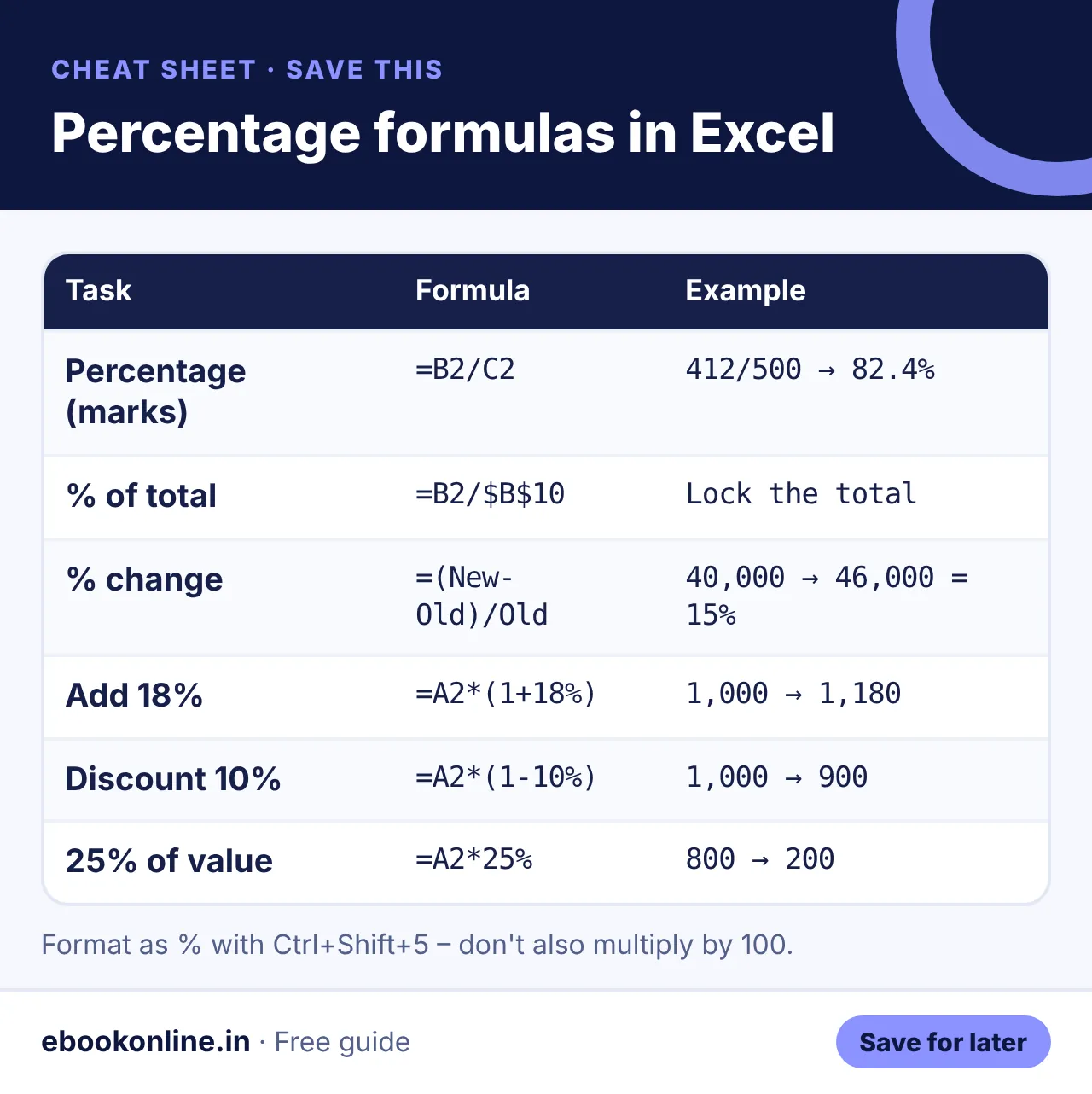
In Excel, percentage = part ÷ total. Type =B2/C2 and format the cell as % (Ctrl+Shift+5). For percentage change use =(New-Old)/Old, and to add a percentage use =A2*(1+B2).
- Percentage: =Part/Total, then format as %.
- Change: =(New-Old)/Old.
- Add or remove a %: =A2*(1+B2) or =A2*(1-B2).
The percentage formula in Excel is one of the most searched Excel questions – and one of the easiest once you see the pattern.
Basic percentage (marks)
| A | B | C | D | |
|---|---|---|---|---|
| 1 | Student | Marks | Total | Percentage |
| 2 | Riya | 412 | 500 | =B2/C2 → 82.4% |
Type =B2/C2 and press Ctrl+Shift+5 to show it as a percentage. Copy it down for all students.
Percentage change (growth or fall)
Formula: =(New-Old)/Old. If sales went from 40,000 to 46,000: =(46000-40000)/40000 = 15%. A negative result means a fall.
Add or remove a percentage
| Task | Formula | Example |
|---|---|---|
| Add 18% | =A2*(1+18%) | 1,000 → 1,180 |
| Discount 10% | =A2*(1-10%) | 1,000 → 900 |
| What is 25% of a value | =A2*25% | 800 → 200 |
Don't multiply by 100 and also format as % – you will get 8240%. Either format as % or multiply by 100, not both.
Type the Riya example into a sheet: 412 in B2, 500 in C2, =B2/C2 in D2, then press Ctrl+Shift+5.
Learn the next formulas
Once percentages are easy, learn IF, COUNTIFS and VLOOKUP from our Excel formulas list. They are often asked in interviews – see the fresher resume guide to show these skills well.
Example: a class marks sheet
Show as text
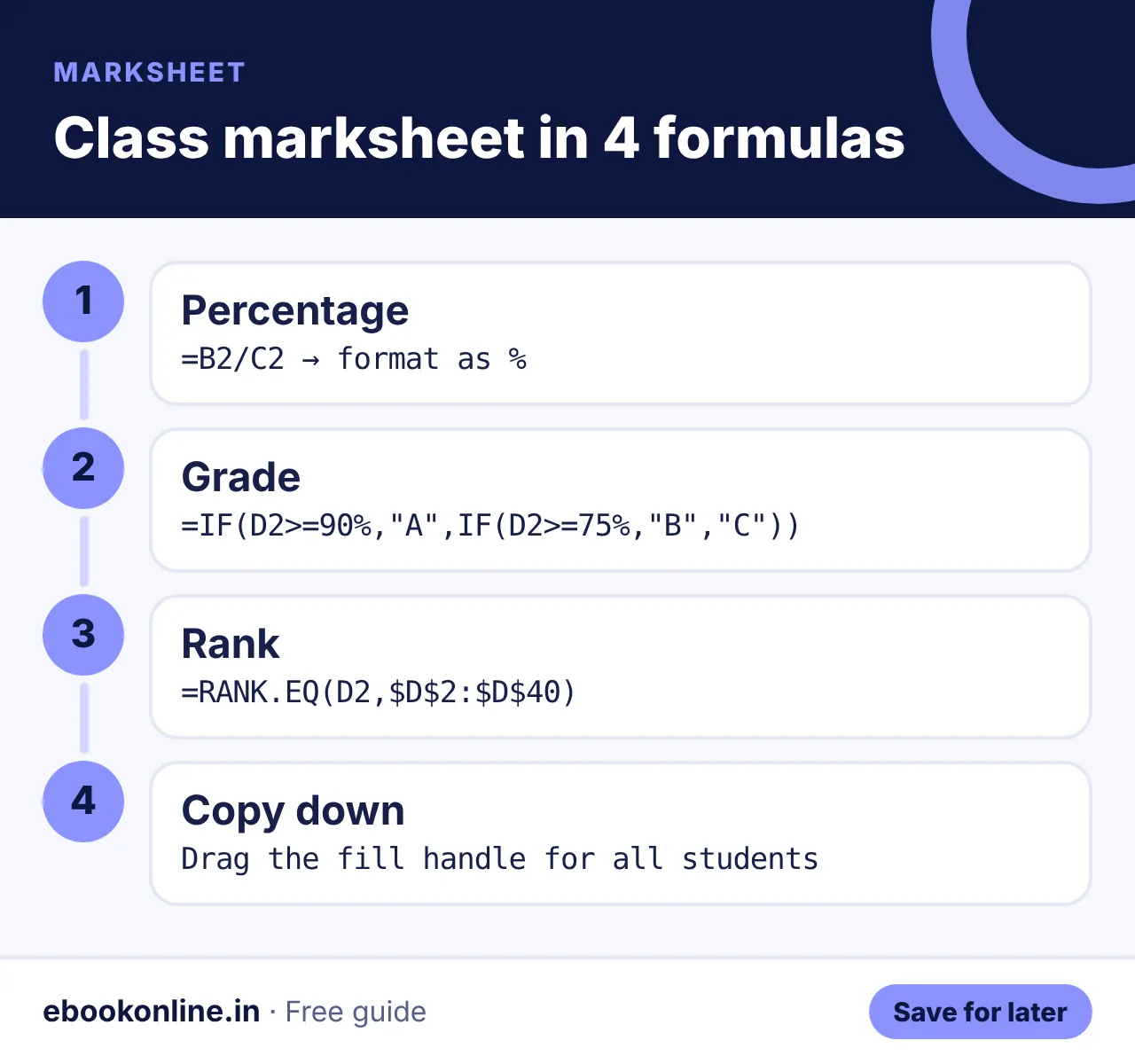
- Column B: marks, column C: total.
- Percentage in D2:
=B2/C2, formatted as %. - Grade in E2:
=IF(D2>=90%,"A",IF(D2>=75%,"B","C")). - Rank in F2:
=RANK.EQ(D2,$D$2:$D$40).
Show the right number of decimals
Use the Increase/Decrease Decimal buttons on the Home tab, or =ROUND(B2/C2,3) – 0.824 shows as 82.4% (one decimal in the percentage).
Next, master 30 essential Excel formulas, then add Excel to your CV using our fresher resume format. Want paid Excel work? See freelancing for beginners. More: Career & Money eBooks.
A look inside the eBook: Excel for Beginners
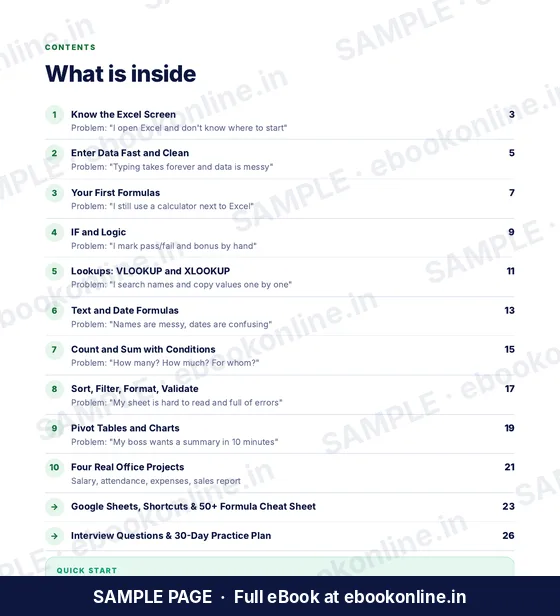
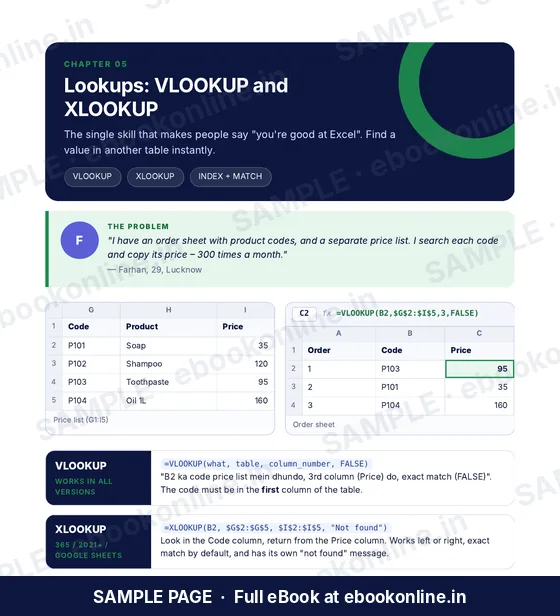
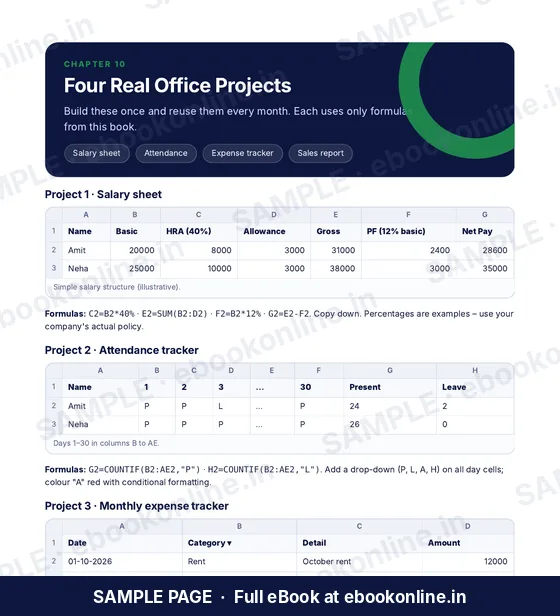
This article covers the basics. The full eBook goes step by step – these are real sample pages from the 28-page PDF. Tap any page to see it bigger.

What you get for ₹99
- 50+ formula cheat sheet
- VLOOKUP & pivot tables
- 4 real office projects
- Know the Excel Screen – Cells, formula bar, workbooks and sheets.
- Enter Data Fast – Flash Fill, Tables and clean data.
- 28-page PDF · read on phone or print at home · instant download after payment
Coming soon.
Frequently asked questions
What is the formula for percentage in Excel?
Divide the part by the total, like =B2/C2, then format the cell as a percentage.
How do I calculate percentage increase in Excel?
Use =(New-Old)/Old and format as a percentage.
Why does Excel show 8240% instead of 82.4%?
You multiplied by 100 and also formatted as %. Use only one of the two.
How do I calculate percentage of total in Excel?
Divide each value by the total with the total cell locked, like =B2/$B$10, and format as %.
How do I show percentage without decimals?
Format the cell as % and use Decrease Decimal until no decimals show.