

Easy Mehndi Designs
50 step-by-step mehndi designs for fingers, front and back hand, Arabic, mandala, kids and feet.
Explore this eBook →Design rules, fonts and colours, plus 10 step-by-step projects
Make clean, professional designs on your phone or laptop – no design background needed.
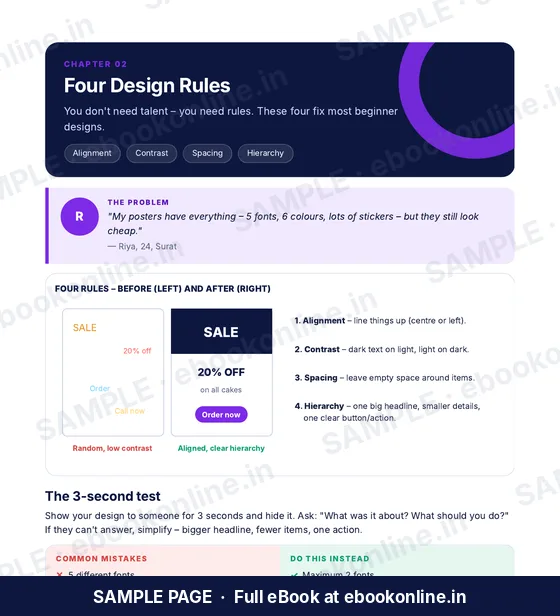
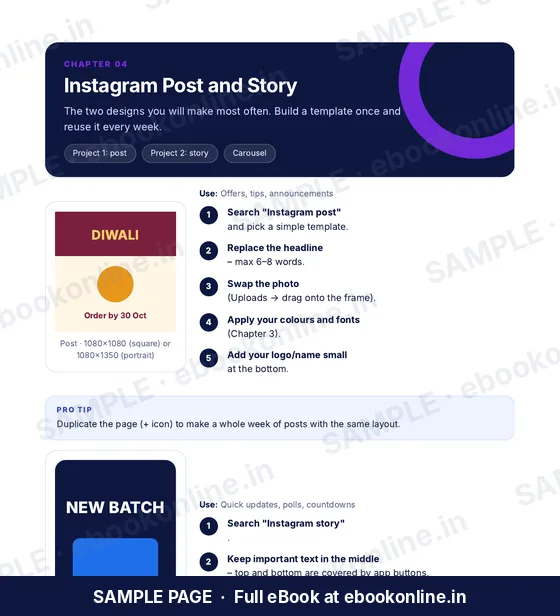
Learn four simple design rules, easy font pairings and colour palettes, then follow 10 projects: Instagram post and story, YouTube thumbnail, resume, invitation, WhatsApp status, logo, visiting card, menu and poster. Download and print settings, a size cheat sheet and a 30-day practice plan are included.
Digital PDF eBook. After payment, you are taken to a page where you can download the file. Nothing is shipped.
This eBook is not available to buy yet. Please check back soon.

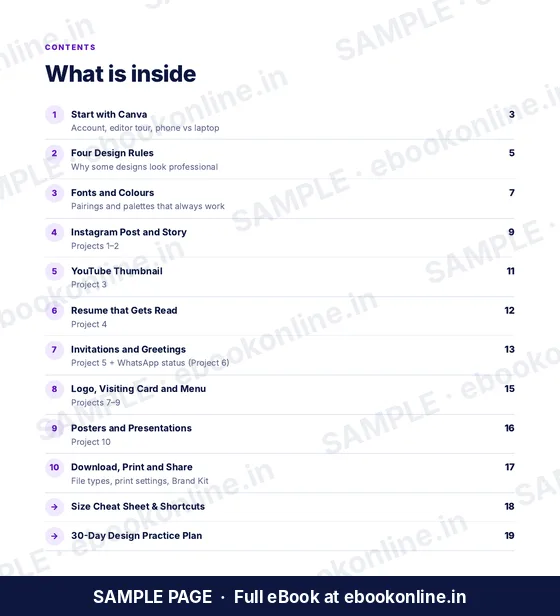
Every topic below is covered in the book.
Editor tour on phone and laptop.
Why some designs look professional.
Pairings and palettes that work.
Projects 1–2.
Projects 3–4.
Projects 5–6.
Projects 7–9.
PNG, PDF Print and MP4.
LOOK INSIDE
A few real pages from this 20-page PDF, so you can see the layout before you buy. Tap a page to enlarge it.
Canva is a third-party app and its menus may change. Some templates and elements in Canva are paid; the book focuses on free features.
A 20-page downloadable PDF. Learn four simple design rules, easy font pairings and colour palettes, then follow 10 projects: Instagram post and story, YouTube thumbnail, resume, invitation, WhatsApp status, logo, visiting card, menu and poster. Download and print settings, a size cheat sheet and a 30-day practice plan are included. Everything is inside one PDF; nothing is shipped.
No. The projects can be done with free Canva. Where a feature is paid, use a free alternative.
Yes. The book covers both the phone app and the laptop version.
Yes. It is written for beginners and assumes no previous experience.
A downloadable PDF. After your payment is completed, you are taken to a download page. The download works for 1 hour on the phone or computer you paid from, with up to 3 downloads. Save the file and open it in any PDF reader.
Contact us through the support form (see Contact / Support in the footer) and include your payment receipt or confirmation.
Canva is a third-party app and its menus may change. Some templates and elements in Canva are paid; the book focuses on free features.


