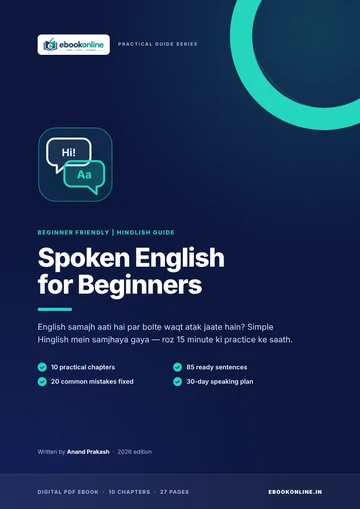
Spoken English for Beginners
Practise daily conversations, sentence patterns and speaking confidence.
Explore this eBook →Start with the few that matter, and the prompts that make them work.
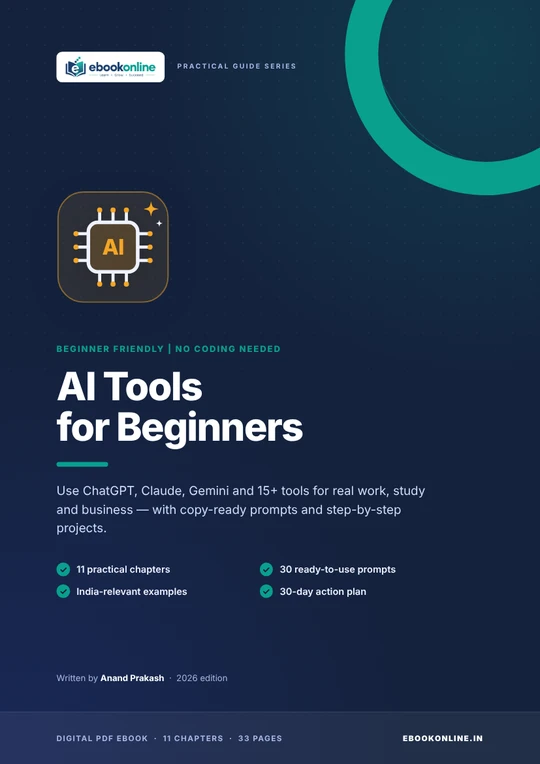
A practical PDF guide to AI tools for beginners. Choose your first assistant, write clearer prompts, try no-code tools, and follow a 30-day plan. No coding needed.
Learn how to use AI tools in everyday work, study and content creation. This beginner-friendly PDF explains how to choose an AI assistant, write clearer prompts, check AI output and explore no-code tools without needing programming experience.
Digital PDF eBook. After payment, you are taken to a page where you can download the file. Nothing is shipped.
This eBook is not available to buy yet. Please check back soon.
Every topic below is covered in the book.
Compare ChatGPT, Claude, and Gemini, see what each is best for, and get a simple table for choosing where to start.
A step-by-step research workflow using Perplexity and Gemini Notebook (formerly NotebookLM), ending with verifying the original source.
Beginner-level guides to Canva, Gamma, Adobe Firefly, Edits (Instagram), ElevenLabs, and Descript, each with a first prompt to try.
Notion AI, Grammarly, and Zapier, plus three beginner automations such as form to spreadsheet to alert.
An introduction to "vibe coding" with Lovable, Replit, Bolt, and v0, with an honest reality check on security and testing.
Twelve idea starters, a six-step path from idea to first customer, and the costs and risks to plan for. Starting points, not promises.
The five-part prompt formula (role, task, context, format, limits), before-and-after examples, and ten copy-and-paste prompts.
A 30-day action plan, plus habits for protecting your privacy, accuracy, integrity, and wallet.
LOOK INSIDE
A few real pages from this 33-page PDF, so you can see the layout before you buy. Tap a page to enlarge it.


Product names belong to their owners and the author is not affiliated with them. AI tools change prices and features often, so check official websites before paying. The book is general education and makes no income, job or business-success promises.
A 33-page downloadable PDF: 11 practical chapters, each with a hands-on "Your turn" task, a library of 30 ready-to-use prompts, a tool quick-reference, a glossary and sources. Everything is inside one PDF.
Yes. The book is written for beginners and assumes no technical background or previous experience.
ChatGPT, Claude, Gemini, Perplexity, Gemini Notebook (formerly NotebookLM), Canva, Gamma, Adobe Firefly, Edits (Instagram), ElevenLabs, Descript, Notion AI, Grammarly, Zapier, Lovable, Replit, Bolt and v0, plus shorter notes on tools such as Whisper, Otter.ai, GitHub Copilot and Cursor.
The book advises starting with one assistant, not three. ChatGPT, Claude, and Gemini all have free plans, and skills transfer between them. Chapter 2 suggests ChatGPT as a general-purpose starting point, Claude for long documents and careful writing, and Gemini if you use Gmail, Google Docs, and Drive every day.
It is a simple way to write clearer AI prompts: Role (who the AI should act as), Task (what you want), Context (what it needs to know), Format (how the answer should look), and Limits (what to avoid). Chapter 9 explains it with before-and-after examples and ten copy-and-paste prompts.
About 20 to 30 minutes a day. It runs week by week: one AI assistant first, then research and creating, then productivity and automation, and finally your first small app or idea.
Yes. Chapter 8 explains what a Micro SaaS is, gives 12 idea starters and a 6-step path from idea to first customer, and lists costs and risks. The ideas are starting points to research, not validated markets or promises of earnings.
No. The cover says "No coding needed". The app-building chapter uses tools where you describe what you want in plain language, and it advises getting a technical review before launching anything to real users.
A downloadable PDF eBook. It is not a printed book, an online course, or a software product.
After your payment is completed you are sent to a download page with a Download button. Save the PDF to your device and open it in any PDF reader.
No. The book states that almost every tool in it offers a free plan, and that free plans are enough while you are learning. Free limits and prices vary and change, so check each tool's official site.
No. Any income ideas in the Micro SaaS chapter are starting points to research, not validated markets or promises of earnings. The book is general education, not financial, legal, or professional advice.
Yes, often, and the book says so in Chapter 1. Prices and limits were checked in October 2026 and may have changed. Confirm on each tool's official website before paying.
Future updates are not promised. The book notes that tool names, prices, and limits change often.
Contact us through our support form and include your payment receipt or confirmation.
The book's own advice: open a tool, type a prompt, and see what happens.
₹99
Get the eBook


